
Your iPhone is your Mac’s trackpad.
Trackpad, keyboard, shortcuts, media keys, slide clicker and app switcher. One free app on each device, talking over your own Wi‑Fi.
Free · macOS 13+ · iOS 17+ · No account
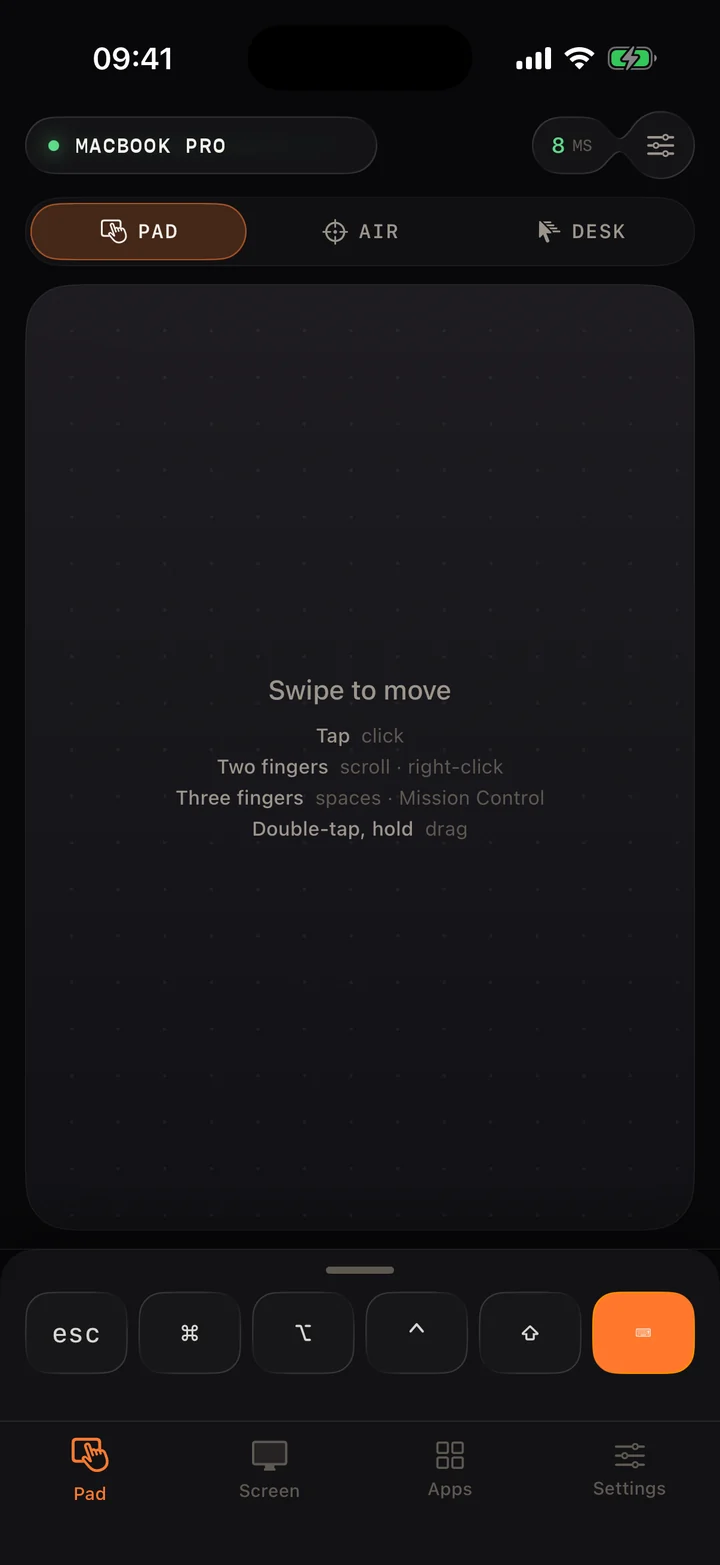
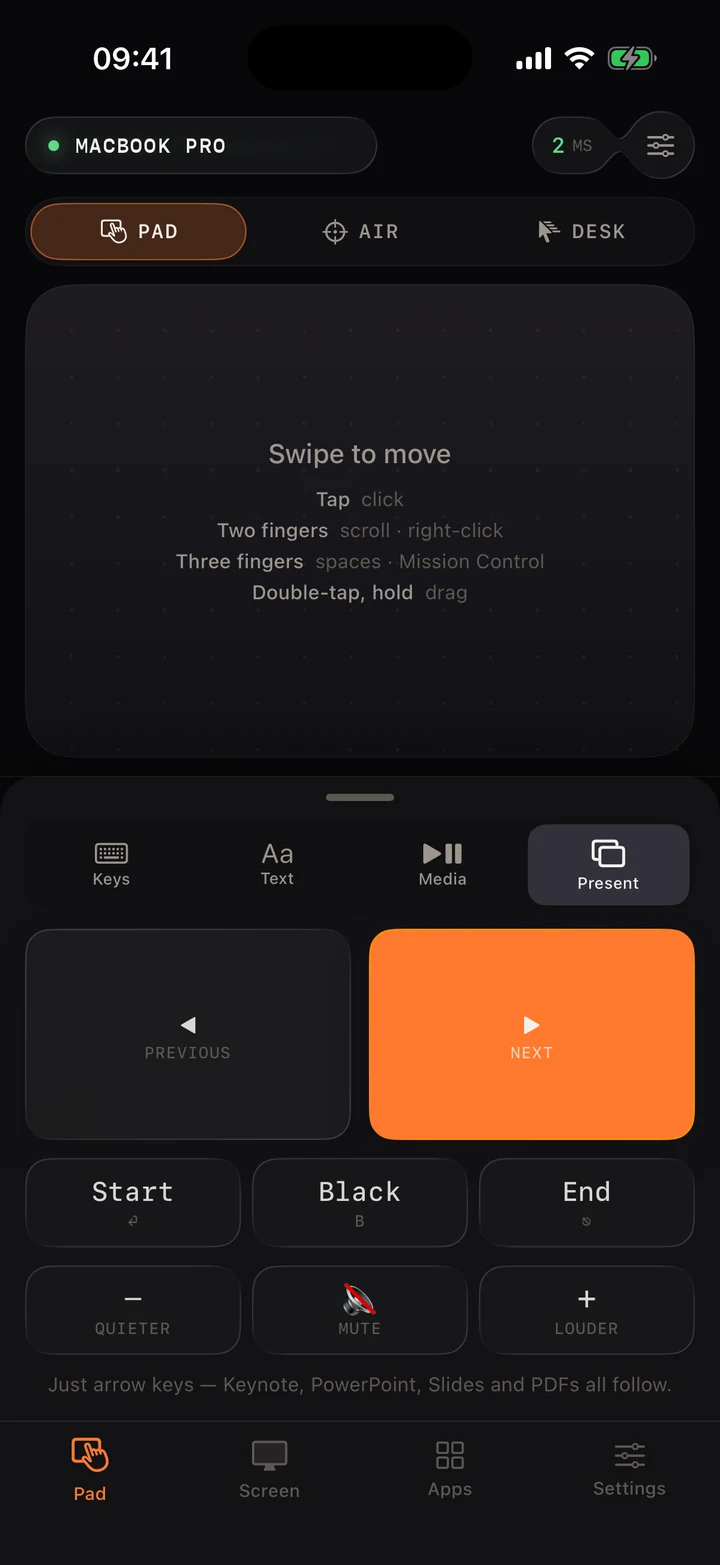
Real app · Pad tab
120 Hz
Cursor updates on ProMotion iPhones
5 bytes
Per cursor movement on the wire
0 servers
No account, no cloud in between
1 scan
To pair. It reconnects on its own
Gestures
Swipe to move.
Your phone is the trackpad. Movement is sent in step with the screen, 120 times a second on ProMotion iPhones.
The app
Everything your keys and trackpad do, on one screen.
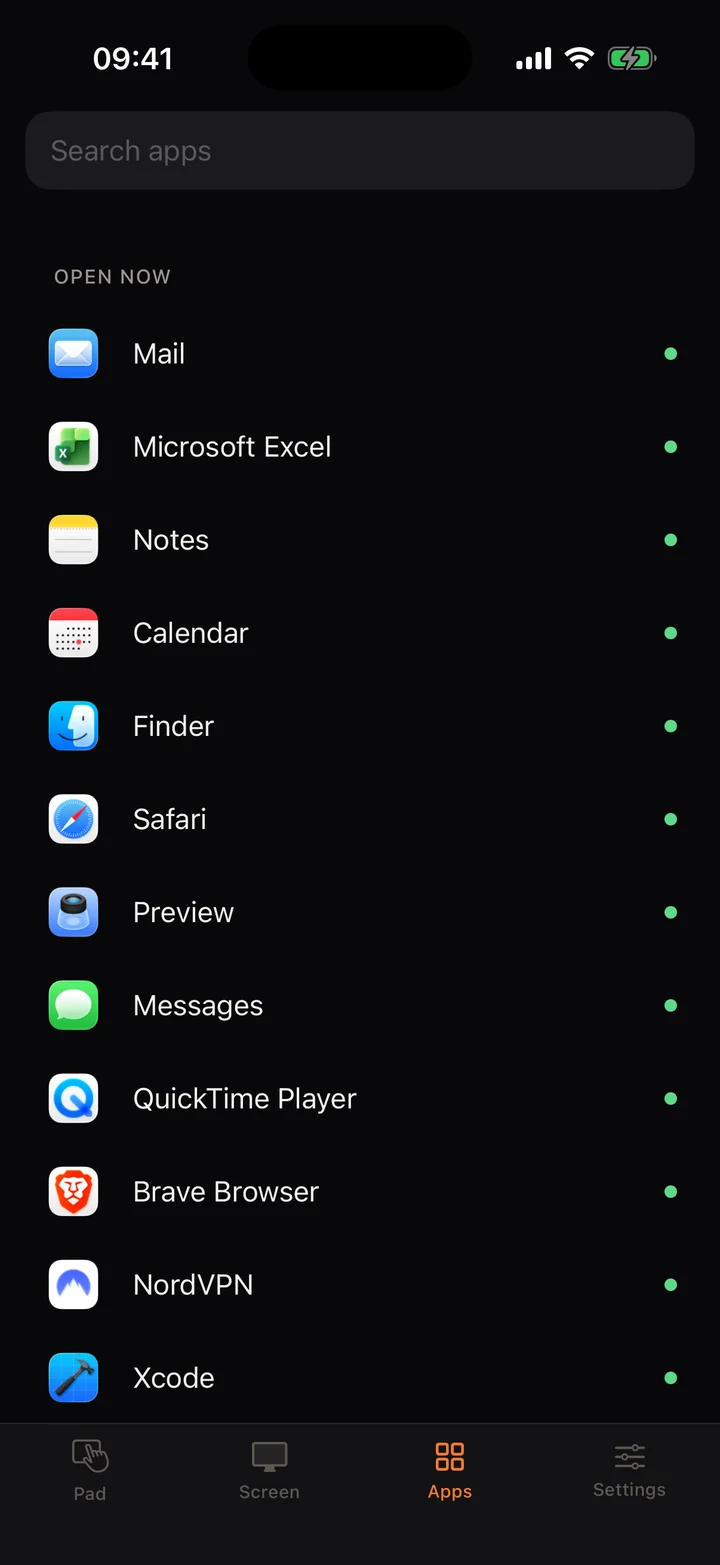
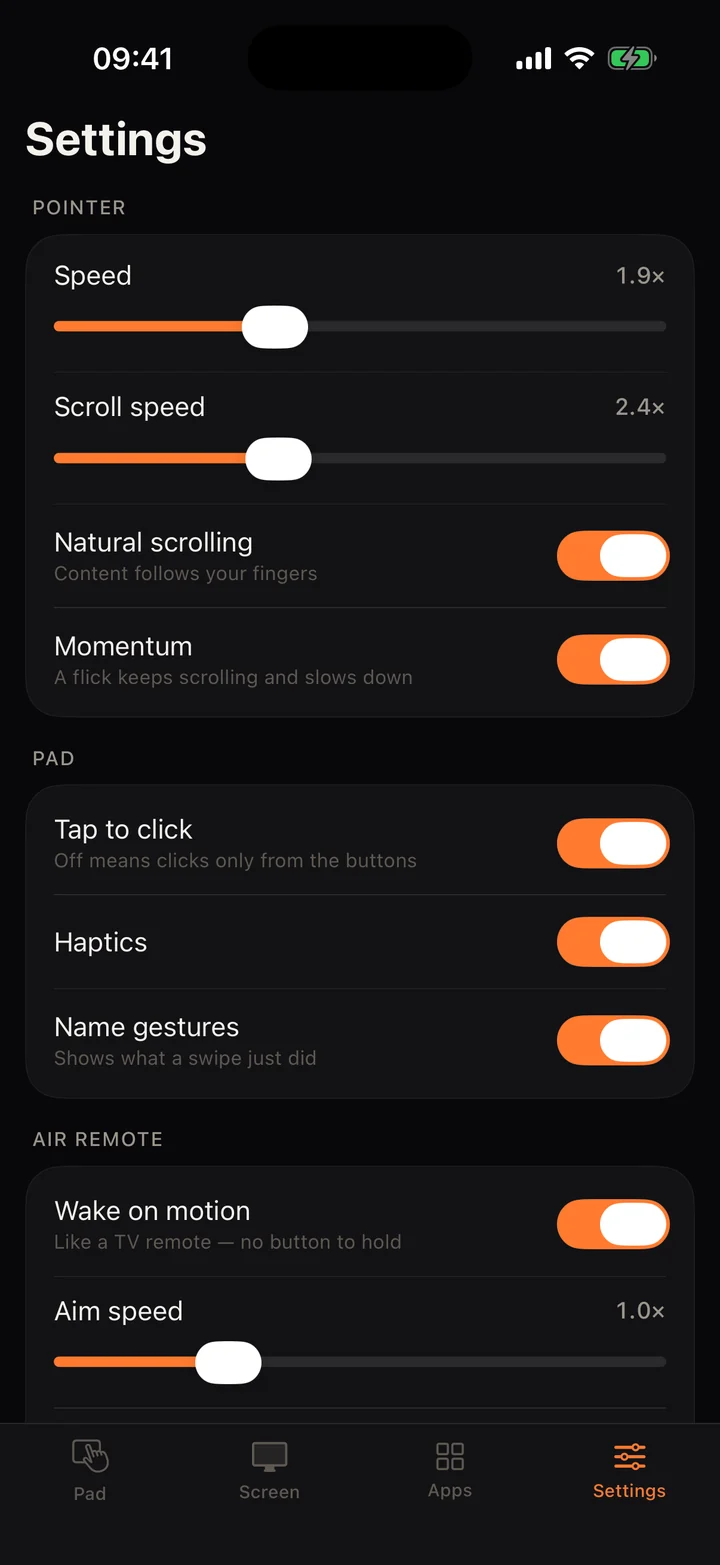
These are real screens from the iPhone app, connected to a Mac.
Keys and text
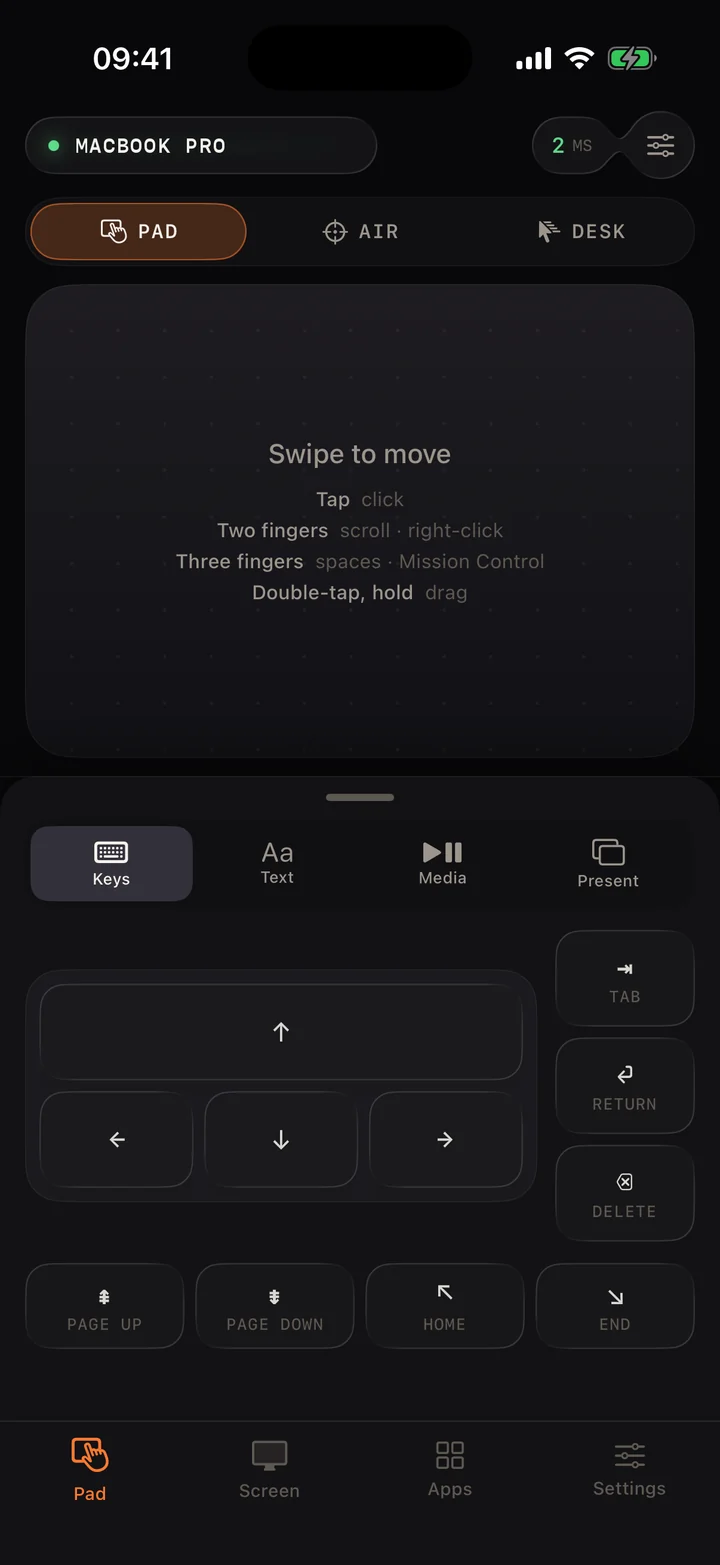
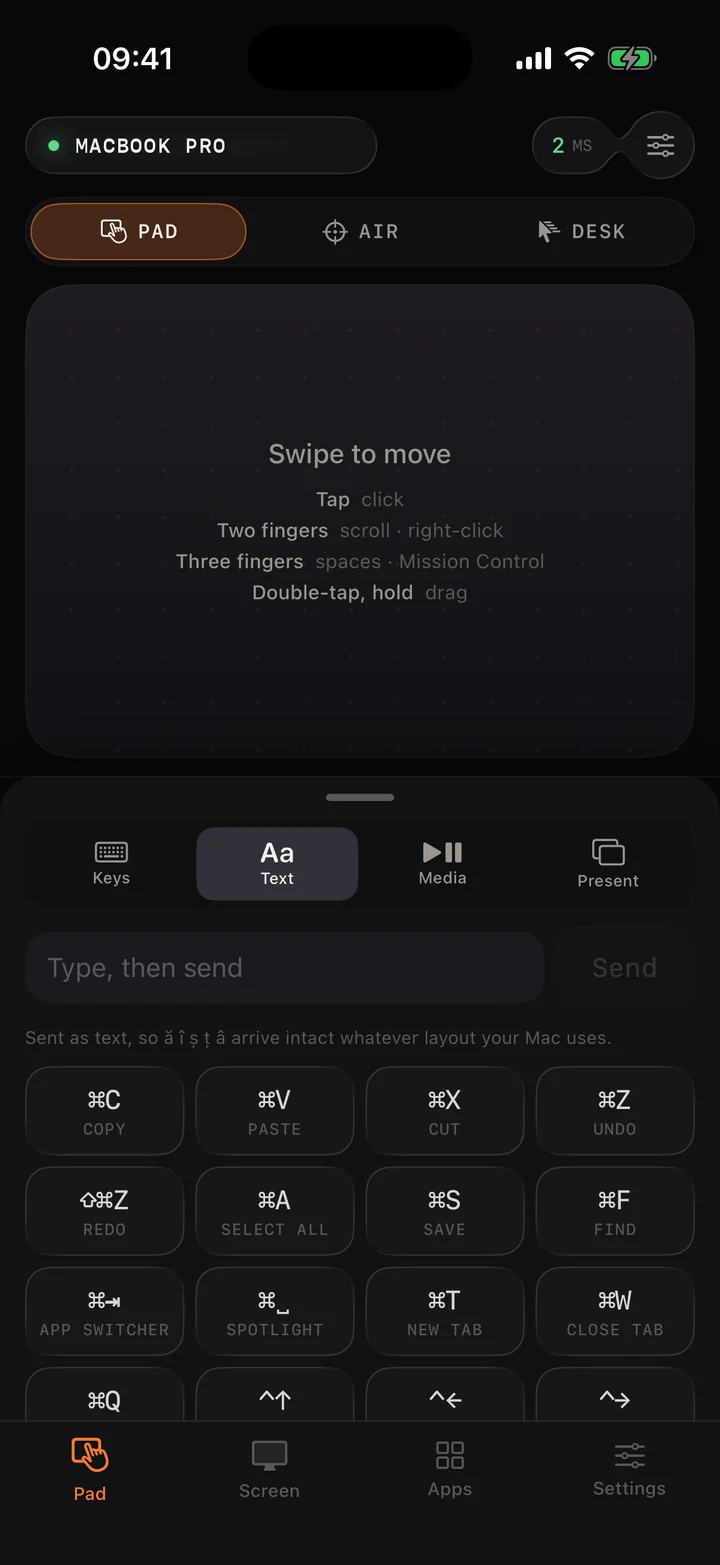
A keyboard that knows the Mac.
Arrows, Tab, Return and page keys are one tap away, with sticky ⌘ ⌥ ⌃ ⇧ along the bottom. Type a sentence and it arrives as text, so ă î ș ț â come through on any keyboard layout.
- Copy, paste, undo, find
- App switcher and Spotlight
- New tab, close tab
Media
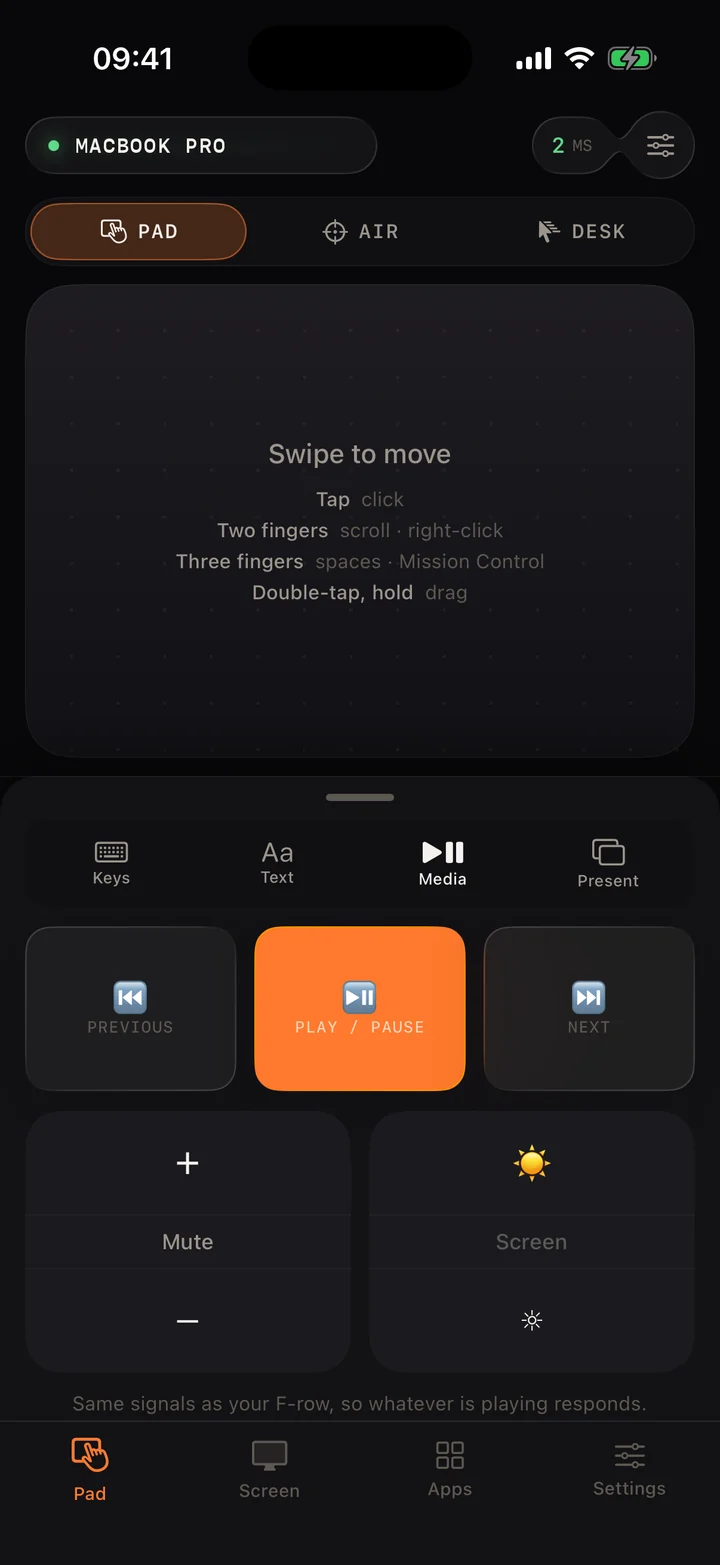
The F-row, in your hand.
Play, pause and skip whatever is playing. Volume, mute and screen brightness use the same signals as your Mac's own keys, so every app responds.
- Previous, play/pause, next
- Volume and mute
- Display brightness
Present
Run the talk from anywhere in the room.
Big Previous and Next targets you can hit without looking. Start, black the screen, or jump to the end. They are plain arrow keys, so Keynote, PowerPoint, Google Slides and PDFs all follow.
- Start, Black, End
- Quieter, mute, louder
- Works in any slide app
Apps and settings
Switch apps. Tune the feel.
See what's open, search everything installed, and bring any app forward with a tap. Then set pointer speed, scroll speed, momentum and haptics to suit your hand.
- Open apps first, then everything
- Natural scrolling and momentum
- Tap to click, haptics, air remote
Engineering
Precise when you’re slow. Fast when you flick.
This is the real acceleration curve from the iPhone app. Move your mouse or finger and watch where you land on it.
Your hand right now: 0.0 pt/frame
Cursor gain: 1.90×
Slow: 1.9×
Small, careful movements map almost one to one, so you can land on a 16-pixel close button.
Fast: up to 6.1×
A flick crosses a wide display in one swipe. The boost is capped so it never overshoots.
Five bytes a move.
Every movement is a tiny binary frame over a local WebSocket with Nagle batching turned off, so nothing waits to be bundled. Below is the exact frame your movement on this page would produce.
- Move your mouse or finger anywhere on the page…
Your Mac, on your phone.
Mirror the screen while you drive it. Pick sharpness or speed; on a slow network it drops frames, never adds lag.
Private by design
Your pairing code never leaves your devices.
The Mac sends a fresh challenge on every connection and the phone answers with a signature, never the code itself. A recorded login can’t be replayed, and until the proof checks out the Mac ignores every input. The code is kept in the iPhone’s Keychain.
hello a fresh 128-bit challenge
auth HMAC-SHA256(code, challenge)
ready proof checked, input unlocked
Setup
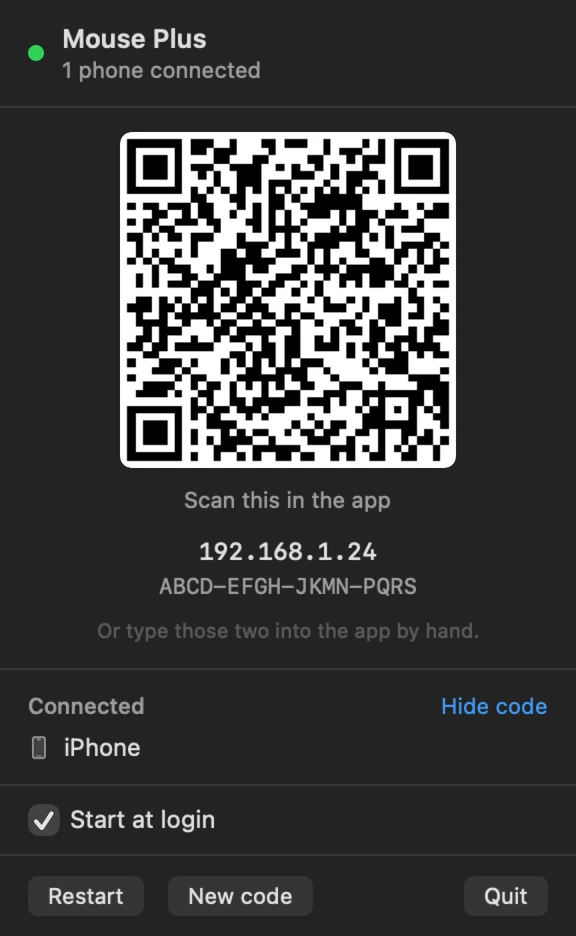
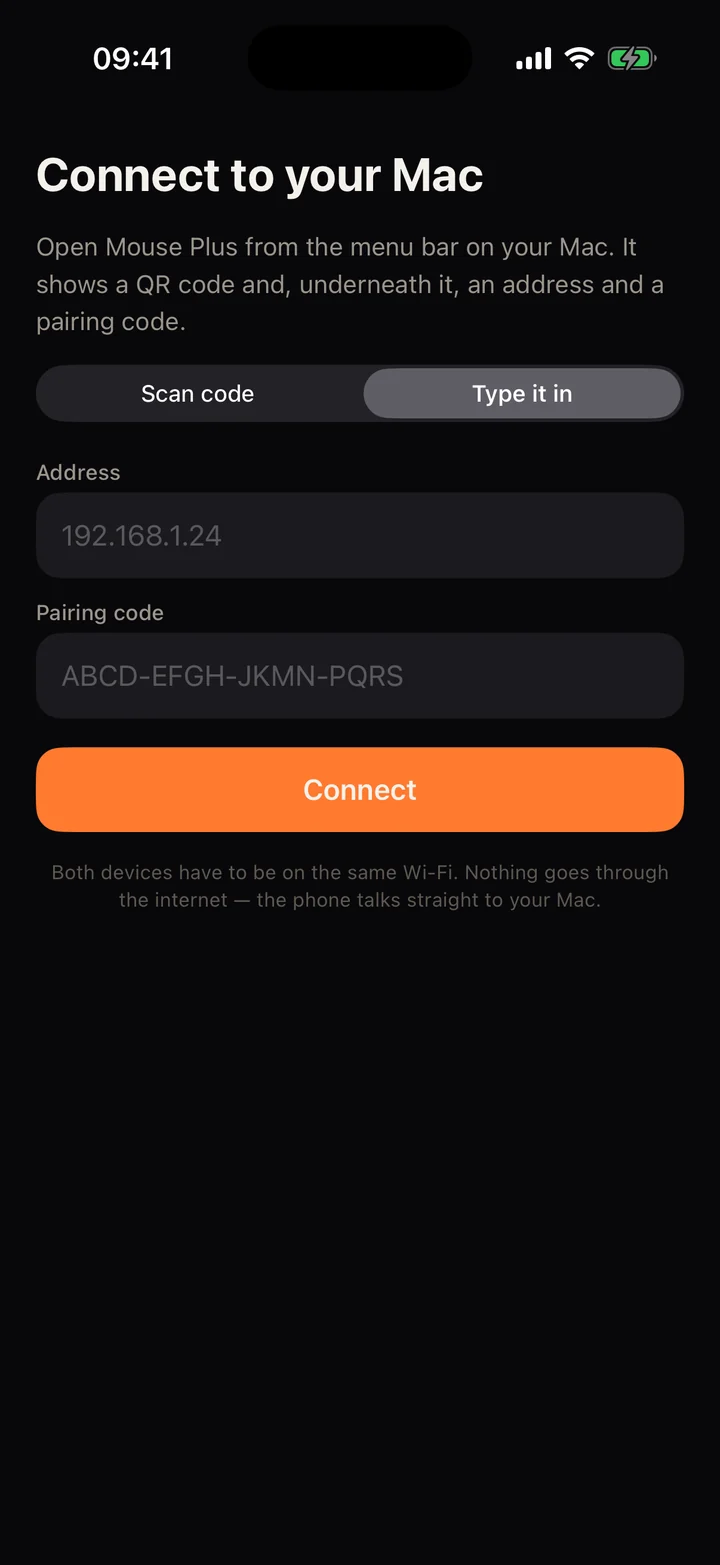
Pair once. It remembers.
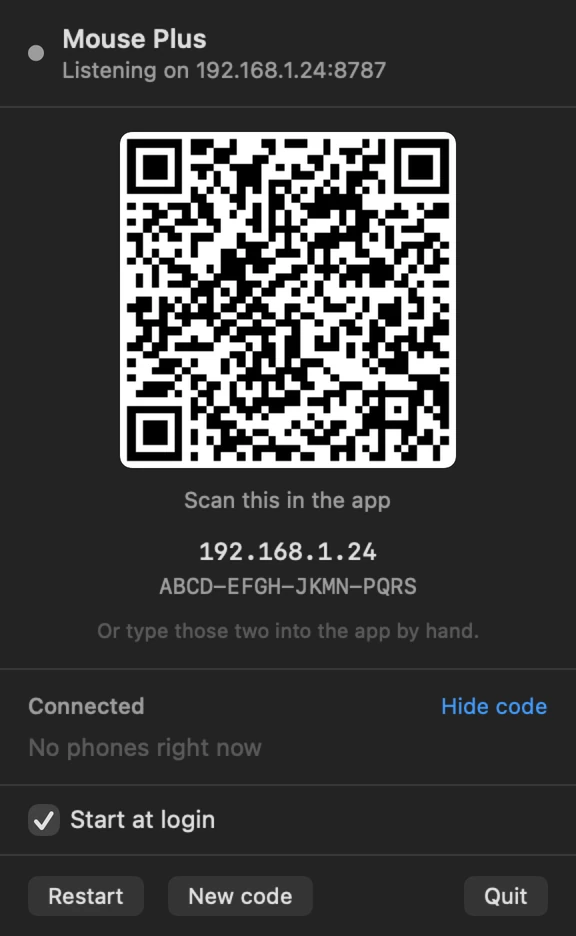
No account, no cloud, no driver. The Mac shows a code, the phone reads it, and they talk directly over your Wi‑Fi from then on.


- 01
Open it from the menu bar
Mouse Plus lives next to your clock. Click the arrow and it shows a code. Allow Accessibility once so it can move the cursor.
- 02
Scan it with your iPhone
Point the app at the code, or type the address and pairing code by hand if the camera is awkward.
- 03
Done, for good
From then on the phone finds your Mac by itself. Open the app and the cursor is already yours.

Two apps. One minute. Free.
Install the Mac app, open the iPhone app, scan the code in your menu bar. That’s the whole setup.
Mac · menu-bar app
For your Mac
macOS 13 or later. Version 1.0. 158 KB download.
Download for MacFirst launch: right-click the app and choose Open. Then allow it under Privacy & Security → Accessibility.
iPhone · the remote
For your iPhone
iOS 17 or later. Trackpad, keys, media, present, apps.
Coming to the App Store
Your phone and Mac need to be on the same Wi‑Fi network.